
Chrome Extensions as Covert Web Proxies
Published 10 min read
Contents
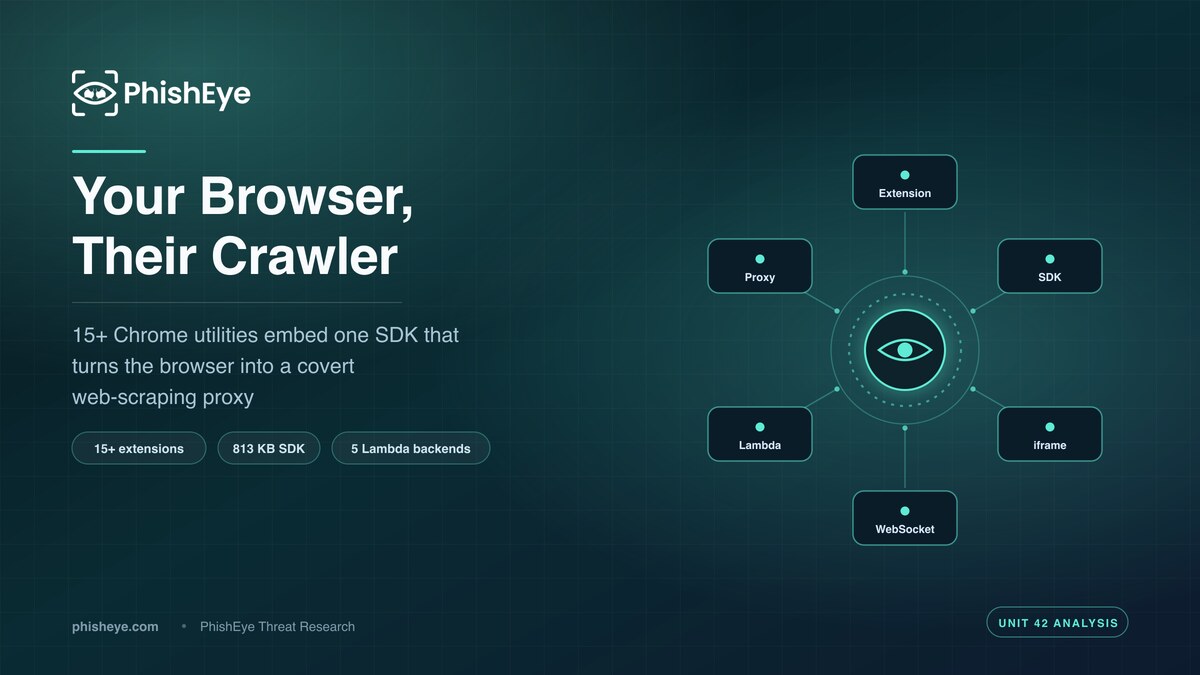
TL;DR — Unit 42 (Palo Alto Networks) identified 15+ Chrome utility extensions — game emulators, password managers, productivity tools, CSS inspectors, markdown converters — that embed an identical commercial bandwidth-sharing SDK. The SDK turns the browser into a covert web-scraping proxy: it injects hidden credentialless iframes into active tabs, converts pages to Markdown in the background, and forwards the content to five AWS Lambda backends and a persistent WebSocket controlled by the SDK provider. Nine of the extensions were batch-published on the same day (2026-06-22), and the bundled SDK outweighs the actual feature code by more than 100 to 1.
About this analysis. This is a PhishEye Threat Research summary of findings published by Unit 42 (Palo Alto Networks) on 29 July 2026. All indicators are attributed to Unit 42 and defanged. PhishEye did not independently discover this campaign; our contribution is defensive analysis and guidance for security teams managing browser-extension risk.
What Unit 42 found
Browser extensions are a durable soft spot in enterprise attack surface. They run inside the browser's trust boundary, request broad permissions, and update silently after install. Unit 42's researchers documented a set of 15+ Chrome extensions that exploit exactly this position — not to steal credentials or inject ads, but to quietly rent out the user's browser as a residential web-scraping node.
According to Unit 42, the extensions span deliberately diverse utility categories: game emulators, password managers, productivity tools, CSS inspectors, and markdown converters. On the surface each does what it advertises. Underneath, every one of them bundles the same commercial bandwidth-sharing SDK. Unit 42 reported that this SDK connects the user's browser to a third-party residential proxy network, performs web scraping on demand, and pays the extension owner for the crawling work the browser carries out.
The economic model is the notable part. The extension author gets a functional utility to publish and a revenue stream that scales with how much bandwidth the victim's browser donates. The SDK provider gets a distributed, residential-IP crawling fleet without operating any of the endpoints. The user gets a working markdown converter and an invisible second job.
How the browser becomes a proxy
Unit 42's researchers documented the crawling mechanism in detail. Rather than proxying arbitrary TCP traffic the way a classic SOCKS5 residential-proxy client would, this SDK crawls pages from inside the browser itself:
- It receives remote crawl commands over a persistent WebSocket, where the server is controlled by the SDK provider.
- For each command, it injects a hidden, credentialless iframe into the user's active browser tabs. The
credentiallessattribute is significant — it blocks cookie transmission, so the fetched page loads without the victim's authenticated session, and the crawl looks like anonymous traffic rather than logged-in activity. - It renders the target page in that hidden iframe, converts the content to Markdown in the background, and ships the result to a remote cloud backend.
- Scraped content is forwarded to five cloud-hosted serverless (AWS Lambda) backends controlled by the SDK developer.
Using credentialless iframes is a design choice that cuts both ways. It reduces the chance of leaking the victim's own logged-in data into someone else's scrape — but it also lets the operator harvest content from the victim's residential IP while sidestepping the bot-detection and rate-limiting that a datacenter crawler would trip. The victim's network reputation is the product.
The disclosure fig leaf
Unit 42 was careful to note that this is not straightforwardly hidden malware. Some of the extensions disclose the bandwidth-sharing SDK in their Chrome Web Store descriptions and in the privacy policies on their SaaS websites. On installation, the third-party SDK prompts the user to opt in, and if the user declines, the proxy and crawling features stay inactive.
The manipulation lives in the framing. Unit 42 reported that some extensions present the opt-in as necessary for "uninterrupted service" — steering users toward consent for a data-exfiltration feature that has nothing to do with the utility they installed. Unit 42 highlighted InstaSkip (extension ID mdondgockboebafloibbhjofmoedmnnn) as a notable example that embeds the SDK.
Consent obtained through a misleading prompt is a compliance problem, not a security defense. For an enterprise, an employee clicking "allow" on a coercive dialog does not make the resulting outbound scraping traffic acceptable.
The tells: permissions, batch uploads, and code ratios
Three technical signals let defenders spot this pattern even without reversing the SDK.
Over-broad permissions with a mismatched purpose. Unit 42 reported that all the extensions use the same permission pattern to justify the SDK's <all_urls> requirement while claiming a different stated purpose. Some utilities legitimately need <all_urls> — but many do not. Unit 42 cited an NES emulator extension as an example where there is no legitimate reason for <all_urls> access at all.
Batch-upload timing. Nine of the extensions were published on the same date, 2026-06-22 — a batch pattern Unit 42 described as consistent with some level of automation. Examples include imaoedkofdaconheiolmmokmimlplaii and geipbnpjdpignhlbgpjjokiponedfpdm.
Grossly disproportionate library-to-feature ratio. Because the SDK dwarfs the actual utility, the code footprint is lopsided. Unit 42 measured the NetShift extension at 6.5 KB of feature code against an 813 KB SDK, and the FocusFlow extension at just 5 KB against the same 813 KB SDK — in both cases the bundled third-party library outweighs the advertised functionality by well over 100 to 1. A 5 KB tool shipping 813 KB of third-party code is doing something other than its stated job.
Unit 42 also found multiple author accounts behind these seemingly useful utilities, naming hunkiepeanut.dev@gmail[.]com and toyomii.official@gmail[.]com. Every extension in the set connects to the exact same five Lambda URLs and WebSocket, which ties the campaign together regardless of publisher name.
Why this matters for defenders
This is not an exotic zero-day; it is supply-chain risk delivered through the Chrome Web Store. The impact for an organization is concrete. Corporate machines become part of a scraping infrastructure, generating outbound traffic to unfamiliar Lambda endpoints. The company's IP space and network reputation are lent to a third party's commercial crawling — which can get corporate ranges blocklisted, flagged as bot traffic, or associated with scraping targeted sites. And an extension that can inject iframes into every tab and exfiltrate rendered content is one silent update away from a far worse capability than the one it shipped with.
What defenders should do
- Inventory installed browser extensions across the fleet. Use enterprise browser management (Chrome Enterprise / Google Admin console, or endpoint tooling) to enumerate every extension, its ID, and its requested permissions. You cannot manage what you cannot see.
- Move to an allowlist model for extensions. Block-by-default and permit only reviewed, business-justified extensions via the
ExtensionInstallAllowlist/ExtensionInstallBlocklistpolicies. Force-installed extensions should be the norm in managed environments. - Flag
<all_urls>and broad host permissions. Treat any extension requesting<all_urls>as requiring justification. A markdown converter, CSS inspector, or game emulator that wants access to every site is a red flag on its own. - Block the campaign's infrastructure. Remove the extension IDs listed below, then obtain the five Lambda backend URLs and the SDK WebSocket endpoint from Unit 42's publication and add those to egress filtering and DNS blocking.
- Watch for the code-ratio and batch tells. In extension review, weigh bundle size against stated functionality; an 813 KB dependency in a 5 KB tool warrants inspection. Treat clusters of same-day publications from thin author accounts as suspicious.
- Train users on coercive opt-in prompts. "Enable this for uninterrupted service" is a manipulation pattern. Teach employees that in-extension consent dialogs asking to share bandwidth or "help the network" should be declined and reported.
- Monitor outbound traffic for anomalous scraping behavior. Persistent WebSocket connections and repeated fetches of unrelated third-party sites from user browsers are detectable at the network layer.
Indicators (attributed to Unit 42, defanged)
Defanged; re-fang by replacing [.] with . — these are live/known-malicious, handle in isolation.
Unit 42 published 17 Chrome extension IDs for this campaign (its write-up describes the set as "15+" extensions); all 17 are listed below. Two author email accounts are also attributed. Unit 42 additionally documented five AWS Lambda backend URLs and one controlling WebSocket endpoint, but did not enumerate those addresses in the material available to us, so we do not reproduce them here. Obtain them from Unit 42's publication before blocking.
# Chrome extension IDs (Unit 42) — includes InstaSkip (mdondg...)
imaoedkofdaconheiolmmokmimlplaii
joloppoccabgdmcemcipplgnkliadbkf
nmimfmbgigfapfdbgmdpljpdmdgogadl
lklpgnoakidgmajbkachidckmhjjdage
jfhpelccbpfcomeacbikkpjpoplckmgp
plgeoddeimaoamhcadaonmcjhpjhamim
jjhepmoeblmpiecjclakeeolfdemhepb
kfecocknjlfelgafkkedmibpdoidfdln
fnghapbcbeindlipfffoildfkhjepofn
geipbnpjdpignhlbgpjjokiponedfpdm
dakecfndpkgfpifeigpelocnomgcgonj
bahegaolgkmgnjnppnlgkfedbfnnfila
lnogaakgoicoepejofienogdohbnbcdf
cdcepcbnmhmcbihicmhfbijjokidcple
bfpoikdkeehibolnodnidehanfhejflp
lcgkjnfnhklmdeeobejaaamhphjgajom
mdondgockboebafloibbhjofmoedmnnn
# Author accounts (Unit 42)
hunkiepeanut.dev@gmail[.]com
toyomii.official@gmail[.]com
Not reproduced here: the five AWS Lambda serverless backends and the single persistent WebSocket command server, all controlled by the SDK developer. Unit 42 documented their existence but the exact addresses were not enumerated in the material available to us — take them from Unit 42's publication.
Sources
- Unit 42 (Palo Alto Networks), "Risky Chrome Extensions Turn Browsers into Covert Web-Crawling Proxies," published 29 July 2026. Authors: Ravindu De Silva, Nabeel Mohamed, and Oleksii "Alex" Starov. Referenced via Unit 42's LinkedIn and X/Twitter posts announcing the research.
- Unit 42 on LinkedIn: linkedin[.]com/company/unit42
- Unit 42 on X/Twitter: x[.]com/Unit42_Intel
FAQ
Is this malware, or just an adware-style monetization scheme? Unit 42 documented it as a commercial bandwidth-sharing SDK with an opt-in prompt, not covert malware — but the coercive "uninterrupted service" framing, over-broad permissions, and content exfiltration make it a real security and privacy risk regardless of the disclosure.
What does the SDK actually do to my browser? It connects your browser to a residential proxy network, receives crawl commands over a persistent WebSocket, injects hidden credentialless iframes into your active tabs, converts those pages to Markdown, and forwards the content to five AWS Lambda backends run by the SDK developer.
Why does it use credentialless iframes? The credentialless attribute blocks cookie transmission, so pages load without your logged-in session. This limits leakage of your own authenticated data while letting the operator scrape from your residential IP to evade bot detection — your network reputation is the asset.
How can I spot one of these extensions?
Watch for a mismatch between stated purpose and permissions (especially <all_urls>), a huge bundle size relative to the feature (Unit 42 measured an 813 KB SDK inside tools with only 5-6.5 KB of their own code), same-day batch publication, and in-app prompts asking to share bandwidth for "uninterrupted service."
What should an organization do right now? Inventory all installed extensions, move to an allowlist model, remove the extension IDs Unit 42 listed, block the SDK's Lambda and WebSocket infrastructure at egress, and train users to decline and report coercive opt-in prompts.
About the authors
PhishEye Threat Research analyzes emerging phishing, brand-abuse, and digital-risk threats for defenders. This article summarizes and adds defensive context to research originally published by Unit 42 (Palo Alto Networks) — authored by Ravindu De Silva, Nabeel Mohamed, and Oleksii "Alex" Starov — with all indicators attributed to them. PhishEye did not independently discover or investigate this campaign; our role is defensive analysis and guidance for security teams.