
Social Media & Fake App Brand Protection
Published 7 min read
Contents
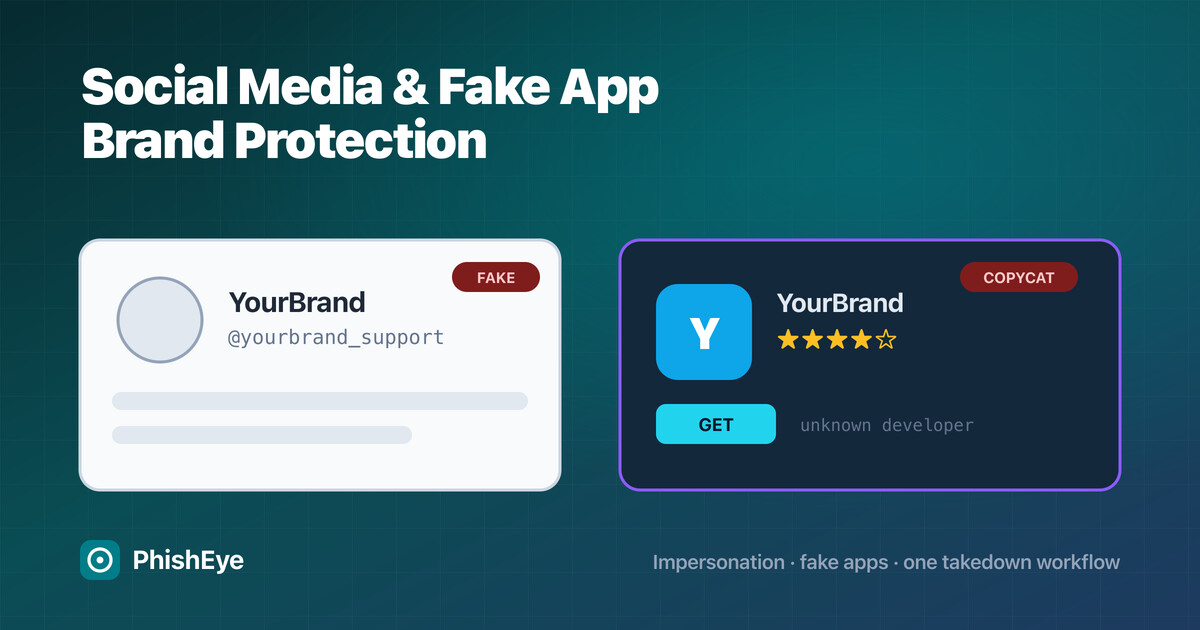
Your brand's biggest impersonation risk increasingly lives where general-purpose monitoring cannot see it: inside social platforms and mobile app stores. A fake support account on X, a cloned Instagram profile running giveaway scams, or a counterfeit app in a third-party store reaches your customers directly, and the takedown path for each is completely different from a phishing domain.
This guide covers the two channels most brand-protection programs under-serve — social media impersonation and fake mobile apps — end to end: how the abuse works, how to detect it at scale, the platform-specific takedown workflows, and how to choose between building it in-house and buying a platform.
| At a glance | |
|---|---|
| Channels covered | Social media impersonation + fake / counterfeit mobile apps |
| Why they are distinct | Abuse lives inside a platform's walls, not on a domain you can scan |
| Detection | Handle/keyword monitoring, logo and profile matching, store crawls |
| Removal | Per-platform impersonation reports + app-store content disputes, with evidence |
| Buy vs. build | In-house works for a handful of profiles; a platform is needed at brand scale |
Why social media and fake apps are a distinct brand-protection problem
Domain and web monitoring scans an open, crawlable internet. Social profiles and app-store listings sit inside walled platforms with their own search, their own identifiers, and their own abuse-report rules. A lookalike domain has WHOIS, DNS, and a host you can send an abuse notice to. A fake Instagram account has none of that — removal runs entirely through Meta's impersonation process, on Meta's timeline, against Meta's evidence bar.
That is why a program that is strong on typosquatting can still leave customers exposed on social and in app stores. The detection signals, the evidence, and the enforcement channel are all different, and each platform is different from the next.
What social media brand protection covers
Social media brand protection is the continuous detection and removal of accounts, pages, and posts that impersonate your brand, your executives, or your support team across networks like X, Meta (Facebook and Instagram), LinkedIn, TikTok, YouTube, and Telegram. The common abuse patterns:
- Impersonation profiles: a handle and avatar copying your brand to run scams or harvest credentials.
- Fake support and giveaway accounts: replies to your customers offering "help" or a prize that leads to a phishing page.
- Executive impersonation: cloned leadership profiles used for fraud; see the executive impersonation takedown playbook.
- Ad and post abuse — sponsored posts using your logo to push counterfeit goods or scams.
It sits alongside the rest of a program — see what online brand protection is and the brand protection software guide for the wider picture.
How fake apps abuse your brand
A fake app carries your name, icon, or branding to trick users into installing it. The variants:
- Copycat apps in the official Apple App Store or Google Play that clone your look to serve ads, harvest logins, or push malware.
- Repackaged apps — your real app modified with added malware and re-listed.
- Rogue listings in third-party and regional stores, where review is weaker and reach is still large.
- Fake "companion" apps that claim to work with your service to capture credentials or payment details.
The damage is direct: users blame your brand for what a counterfeit app does with their data.
How to detect social media impersonation at scale
- Handle and keyword monitoring — track your brand name, common misspellings, and support-related phrasing across networks continuously, not with a monthly manual search.
- Logo and profile-image matching — visual matching catches accounts that avoid your exact name but reuse your logo or brand imagery.
- Behavioural signals — new accounts replying to your customers, posting shortened links, or spiking around a campaign or incident.
- Baseline your real footprint first: you can only spot the fakes if you know every legitimate account. Continuous brand protection maps this at scale.
At more than a handful of profiles, this is continuous work that a platform like social media monitoring and takedowns automates.
How to detect fake apps across app stores
- Store crawls by brand term and developer name across Apple App Store, Google Play, and the major third-party and regional stores.
- Icon and screenshot matching to catch apps that reuse your visual identity under a different name.
- Developer-account monitoring to confirm which listings are genuinely yours and flag everything else.
- New-listing alerts so a copycat is caught in its first days, before it accumulates installs and reviews.
Continuous app store monitoring and takedowns is what keeps this current as new stores and listings appear.
Taking down an impersonating social account
The workflow is per-platform, but the shape is consistent:
- Confirm and document — capture the profile URL, handle, screenshots, and what makes it impersonation (your name, logo, or claims of affiliation).
- Prove you own the brand — most platforms want a trademark registration, official account details, or ID for an executive case.
- File through the platform's impersonation report, not the generic "spam" flag — impersonation reports route to the right review queue.
- Escalate with a documented evidence package if the first report stalls; established brand-protection providers hold trusted-reporter relationships that move cases faster.
Taking down a fake or counterfeit app
- Capture evidence — the store URL, developer name, screenshots, and the specific policy the listing breaks (impersonation, IP infringement, or malware).
- Use the store's content-dispute channel. Apple and Google both provide a brand/IP complaint process for rights holders; a trademark makes it far stronger.
- Report the developer account, not just the single app — a copycat developer usually has more than one listing.
- Watch for re-uploads. Removed apps come back under new names, so detection has to keep running after the takedown.
Social media brand protection: in-house vs. a managed service
A small team can handle a few impersonation profiles a month by hand. It stops scaling the moment a campaign, an incident, or a viral moment triggers a wave of fakes across several platforms and stores at once. That is when the manual model breaks: the evidence, the per-platform report formats, and the follow-up become full-time work. A platform (or a managed service on top of one) handles the volume and keeps the evidence trail consistent for audit and legal escalation.
How to choose a platform for social and app protection
Judge platforms on channel breadth, not just detection volume:
- Native coverage of the networks and stores you care about — including regional and third-party stores, not only Apple and Google.
- Visual matching, not just text, so logo-only impersonation is caught.
- Coordinated takedown across social and app stores in one workflow, with trusted-reporter relationships.
- An audit-ready evidence trail for legal and compliance.
- One console with your domain and phishing coverage, so a customer-facing threat is not split across three tools. That is the model behind PhishEye brand protection.
For the full vendor-selection framework, see the brand protection software guide.
A 30-day rollout plan
- Week 1 — inventory every legitimate social account and app listing, and baseline current exposure with a free dark web exposure check.
- Week 2 — turn on continuous handle, keyword, and store monitoring; triage the first findings by customer impact.
- Week 3 — file takedowns on confirmed impersonation and copycat apps; record time-to-removal per platform.
- Week 4 — review recycle (how many fakes returned), tune detection, and set the ongoing cadence.
Frequently asked questions
What is social media brand protection? The continuous detection and removal of accounts, pages, and posts that impersonate your brand, executives, or support team across networks like X, Meta, LinkedIn, TikTok, and YouTube.
How can I protect my brand from fake apps? Monitor the app stores continuously by brand term, developer name, and icon; file content disputes through Apple's and Google's rights-holder channels with a trademark; report the developer account, not just one listing; and keep watching for re-uploads.
How do I get an impersonating social media account taken down? Document the profile and why it is impersonation, prove you own the brand (usually a trademark or official account details), and file through the platform's dedicated impersonation report rather than the generic spam flag.
Can fake apps be removed from the Apple App Store and Google Play? Yes. Both operate a brand and intellectual-property complaint process for rights holders. A registered trademark and clear evidence of impersonation or infringement make removal much faster.
What is the best platform for social media brand protection? The best fit covers the specific networks and app stores you care about (including third-party stores), does visual matching rather than text-only, and coordinates takedowns with an audit-ready evidence trail in one console.
Do I need a managed service, or can my team handle social and app takedowns in-house? In-house works for a handful of profiles. Past that — or during a campaign spike — the per-platform evidence and follow-up become full-time work, which is where a platform or managed service pays off.
See how PhishEye covers social and app-store impersonation alongside domains and phishing in one workflow: brand protection, social media monitoring, and app store monitoring.