Contents
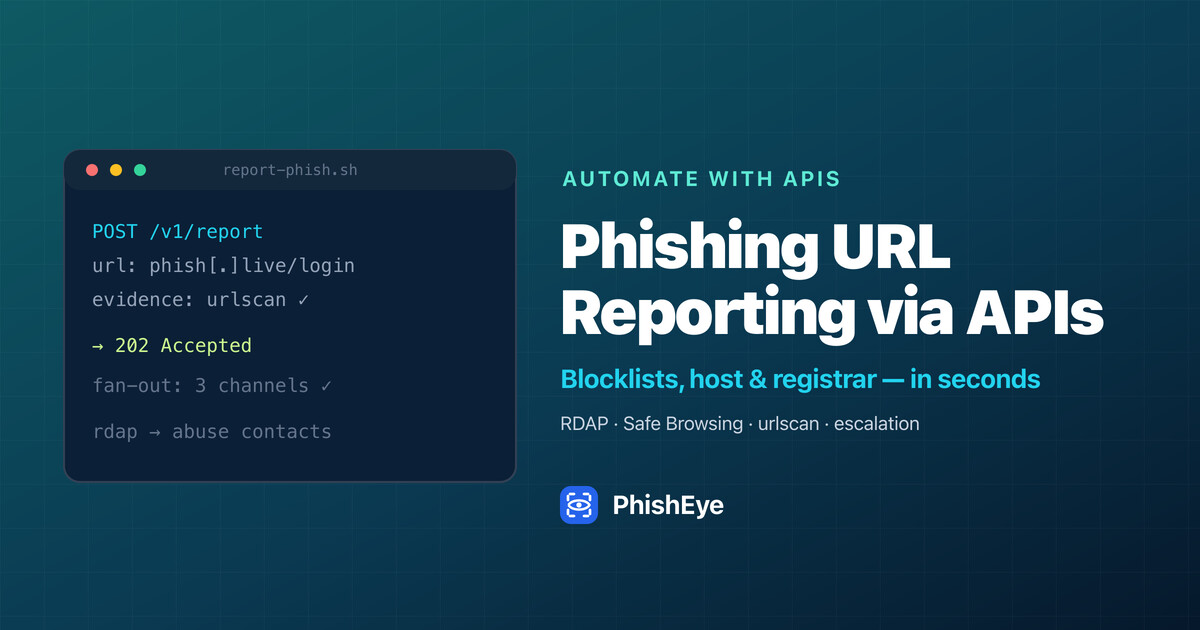
A phishing URL is often live for only a few hours. Automating the report — to blocklists, the host, and the registrar, with evidence attached — collapses that window from days to seconds. Here is the full pipeline, with copy-paste API calls.
| At a glance | |
|---|---|
| Goal | Report a phishing URL to every channel within seconds, automatically |
| Pipeline | validate → enrich (RDAP) → submit → file abuse → escalate |
| Blocklist / scanner APIs | Google Web Risk Submission, urlscan.io, VirusTotal |
| Find abuse contacts | RDAP: domain record (registrar) + IP record (host / CDN) |
| Escalation path | host + blocklists → registry → ICANN complaint → UDRP |
| Forensic capture | urlscan.io, headless Chrome (HAR / DOM), SingleFile, WARC |
Why automate phishing URL reporting
Reporting one phishing URL by hand is easy. Reporting the dozens that target a brand every week — to the right blocklists, the right host, and the right registrar, with evidence attached and status tracked — is a full-time job that no one does consistently at 2 a.m. Phishing pages are also short-lived, so the window to capture evidence and get a warning in front of users is measured in hours, not days.
Automation closes that gap. By wiring the reporting steps to APIs, you can submit a freshly detected URL to every channel within seconds of finding it, in parallel, and keep retrying until it is down. This guide shows the pipeline end to end: detect, enrich, report, escalate, and capture forensics — with real API calls you can copy. If you only need to check one link, start with the free phishing URL checker.
Ground rules. Never submit credentials or interact with the live page, automate from an isolated environment (a sandboxed IP, never your corporate range), respect each API's rate limits and terms, and keep a hash of every artifact you collect so your evidence is defensible.
How to automate phishing URL reporting via APIs
A reporting pipeline has four stages, each backed by an API: validate the URL, enrich it with host and registrar data, submit it to blocklists and scanners, and file abuse with the parties that can pull it down. Treat each URL as a job that flows through all four.
1. Validate the URL
Confirm the page is live and malicious before you report it — false positives burn your reputation with every provider. A reputation/verdict API gives you a programmatic yes/no plus the reasons. PhishEye exposes one for exactly this:
# Validate a URL before reporting it
curl -s "https://phisheye.com/api/url-scan?url=https://secure-login.example/verify" \
  | jq '{verdict: .verdict, score: .score, reasons: .reasons}'
2. Submit to blocklists and scanners
Blocklist submission is the highest-leverage step: even before the page is removed, it shows a red warning to billions of browser users. Two channels accept programmatic submissions.
Google Web Risk Submission API is Google's supported way to report a suspected malicious URL for inclusion in Safe Browsing (which protects Chrome, Firefox, and Safari). You call it with a Google Cloud service account:
# Report a URL to Google for Safe Browsing review
curl -X POST \
  "https://webrisk.googleapis.com/v1/projects/$GCP_PROJECT/uris:submit" \
  -H "Authorization: Bearer $(gcloud auth print-access-token)" \
  -H "Content-Type: application/json" \
  -d '{"submission": {"uri": "https://secure-login.example/verify"}}'
urlscan.io does double duty: it submits the URL for analysis and produces a public, timestamped record with a screenshot and the full request chain — evidence you can cite in an abuse report:
# Scan + create a public evidence record (screenshot, DOM, requests)
curl -X POST "https://urlscan.io/api/v1/scan/" \
  -H "API-Key: $URLSCAN_KEY" \
  -H "Content-Type: application/json" \
  -d '{"url":"https://secure-login.example/verify","visibility":"public"}'
# -> { "uuid": "...", "result": "https://urlscan.io/result/<uuid>/" }
Submitting the same URL to a multi-engine scanner such as the VirusTotal URL API adds independent vendor detections, and members of the APWG eCrime Exchange (eCX) can push the indicator to the wider anti-phishing ecosystem through its API.
3. Find the abuse contacts with RDAP, then file
To report to the host and registrar you need their abuse addresses — and you can get both from RDAP (Registration Data Access Protocol), the structured-JSON successor to WHOIS. A domain RDAP record yields the registrar and its abuse email; an IP RDAP record yields the hosting network and its abuse email:
# Registrar + abuse email for the domain
curl -s "https://rdap.org/domain/secure-login.example" \
  | jq '.entities[]? | select(.roles[]? == "abuse") | .vcardArray'

# Hosting network + abuse email for the resolved IP
curl -s "https://rdap.org/ip/203.0.113.42" \
  | jq '{network: .name, abuse: [.entities[]? | select(.roles[]? == "abuse")]}'
Most hosts and registrars still accept abuse reports by email or web form rather than a REST API, so the "file abuse" step is usually an automated, templated email to the address RDAP returned, with the urlscan record and your evidence hashes attached — sent and tracked by your pipeline, not a human. If a CDN such as Cloudflare fronts the site, submit through its abuse process in parallel.
The difference between phishing takedown and domain suspension
These get used interchangeably, but they are different actions taken by different parties, and choosing the right one decides how fast you win.
- Takedown (content removal) is performed by the hosting provider. They remove or disable the specific phishing page (or the account hosting it). It is the fastest lever, and it is the correct one when the phishing lives on a hacked legitimate site or a shared host — you want the malicious page gone, not the whole domain killed.
- Domain suspension is performed by the registrar (or registry). They put the domain on hold so it stops resolving entirely. This is the right lever for a domain that exists only to phish — a throwaway lookalike domain — because suspension kills every URL on it at once and the actor cannot just move the page to a new path.
In practice you pursue both in parallel and let whichever responds first win. The rule of thumb: report content to the host and the domain to the registrar, and pick suspension over page removal whenever the domain is malicious by registration rather than compromised.
Identifying hosting providers vs. registrars in WHOIS/RDAP data
The single most common reporting mistake is sending a host complaint to the registrar (or vice versa). They are two distinct entities, and RDAP keeps them in two distinct records:
- The registrar sold the domain name. You find it in the domain RDAP record (or WHOIS): look for the
registrarentity and itsabuse-role contact. RDAP forexample.comlives at the registry/registrar's RDAP server, reachable via the RDAP bootstrap atrdap.org. - The hosting provider runs the server the page is served from. You find it by resolving the domain to an IP and looking up the IP RDAP record at the relevant Regional Internet Registry (ARIN, RIPE, APNIC, etc.); the network's
abusecontact is the host's.
Watch for a CDN. If the IP belongs to Cloudflare, Fastly, or Akamai, the RIR record points at the CDN, not the true origin — so you report to the CDN's abuse process and let them forward to the origin host. A quick read: domain record → registrar (suspend the domain); IP record → hosting network or CDN (remove the page). For a manual cross-check, the ICANN RDAP/WHOIS lookup shows the same fields in a browser. The deeper walkthrough is in how to take down a phishing website.
What to do if a registrar fails to respond to an abuse complaint
Some registrars act in minutes; others sit on reports. When a registrar ignores a well-evidenced phishing complaint, escalate in this order:
- Re-send with a tighter SLA and complete evidence. Many "non-responses" are a weak first report. Include the live URL, the urlscan record, screenshots, the impersonated brand, and a clear statement that it violates the registrar's anti-abuse policy and ICANN obligations. Give a deadline (e.g. 24 hours) and a ticket reference.
- Go around the registrar to the host and blocklists. You do not need the registrar to protect users: a host takedown or a Safe Browsing listing neutralizes the page while the domain fight continues. This is why parallel reporting matters.
- Escalate to the registry. The registry operator for the TLD (for example, Verisign for
.com) sits above the registrar and can act on systemic abuse when the registrar will not. - File an ICANN compliance complaint. ICANN-accredited registrars are contractually required to maintain an abuse contact and take reasonable action. If they do not, submit an ICANN compliance complaint; the contractual pressure often moves a stalled case.
- Use the legal route for trademark abuse. For a domain that infringes your mark, the formal mechanism is UDRP — slower and costlier, but binding.
Track every touch (who, when, ticket number, response) so escalation is evidence-backed, and watch for recycling — an unresponsive registrar often hosts repeat offenders.
Tools for forensic capture of phishing landing pages
A phishing page can vanish mid-investigation, so capture a complete, tamper-evident record while it is live. Good capture preserves not just a screenshot but the DOM, the resources, the network requests, and the redirect chain — and proves the artifact has not been altered.
- urlscan.io (API above) — the fastest defensible capture: screenshot, DOM, every request, and a stable public URL, all from one POST.
- Browser DevTools / headless Chrome — export a
HARfile for the full request chain and run--headless --screenshot --dump-domto script captures. - SingleFile — saves the rendered page (HTML, CSS, images inlined) into one self-contained file, with a CLI for automation.
- Web archiving tools — pywb and
wget --mirror --warc-fileproduceWARCarchives, the standard format for a faithful, replayable capture. - Integrity — hash every artifact (
sha256sum) and record the timestamp so the capture stands up later. Bundle it all as an evidence package.
# Scriptable forensic capture with headless Chrome + integrity hash
chrome --headless --disable-gpu --window-size=1280,2000 \
  --screenshot=phish.png --dump-dom "https://secure-login.example/verify" > phish.html
sha256sum phish.png phish.html > evidence.sha256
Orchestrate it end to end
The four stages become a pipeline: a queue receives a detected URL, a worker validates it, captures evidence, submits to blocklists and scanners, resolves abuse contacts via RDAP, files templated abuse reports, and then polls until the page is down — re-reporting on a schedule and escalating on timeout.
async function reportPhish(url) {
  const verdict = await validate(url);              // reputation API
  if (!verdict.malicious) return { skipped: true };
  const evidence = await urlscanSubmit(url);        // screenshot + record
  await Promise.allSettled([
    webRiskSubmit(url),                              // Google Safe Browsing
    virusTotalSubmit(url),                           // multi-engine
  ]);
  const { registrarAbuse, hostAbuse } = await rdapContacts(url);
  await Promise.allSettled([
    emailAbuse(hostAbuse, url, evidence),            // content takedown
    emailAbuse(registrarAbuse, url, evidence),       // domain suspension
  ]);
  return enqueueFollowUp(url, { escalateAfterHours: 24 });
}
Building and running this in-house is doable, but maintaining the integrations, abuse templates, retry logic, and escalation — for every brand, around the clock — is the work. That is what a takedown platform exists to do. PhishEye runs this pipeline as a service: continuous detection, automatic evidence capture, and coordinated takedowns submitted to hosts, registrars, CDNs, and blocklists in parallel — with escalation and recycle tracking built in. If you would rather not own the plumbing, that is the shortcut; if you do, the API calls above are the foundation. For the manual fallback, see how to take down a phishing website, and for the program view, online brand protection.
FAQs
Is there an API to report phishing to Google Safe Browsing? Yes — the Google Web Risk Submission API lets you programmatically submit a suspected malicious URL for review and potential inclusion in Safe Browsing, which protects Chrome, Firefox, and Safari users.
How do I find the abuse email for a phishing domain programmatically? Query RDAP. The domain record (rdap.org/domain/<domain>) gives the registrar's abuse contact; the IP record (rdap.org/ip/<ip>) gives the hosting network's. RDAP returns structured JSON, which is far easier to parse than legacy WHOIS.
What is the difference between a takedown and a domain suspension? A takedown removes the phishing content and is done by the hosting provider; a domain suspension stops the whole domain from resolving and is done by the registrar. Report content to the host and the domain to the registrar, and pursue both in parallel.
What if the registrar does not respond to my abuse complaint? Escalate: re-send with full evidence and a deadline, neutralize the page via the host and blocklists in the meantime, then escalate to the registry and file an ICANN compliance complaint; use UDRP for trademark abuse.
Can I automate forensic capture? Yes — the urlscan.io API, headless Chrome (HAR + screenshot + DOM), SingleFile, and WARC tools (pywb, wget --warc-file) all script cleanly. Hash and timestamp each artifact so the capture is defensible.
API references
- Google Web Risk — Submission API
- urlscan.io — API documentation
- VirusTotal — scan a URL
- RDAP — bootstrap and overview · ICANN RDAP/WHOIS lookup
- APWG eCrime Exchange (eCX)
- ICANN — file a compliance complaint
On PhishEye: automated takedowns, phishing & scam protection, and the free phishing URL checker. Want this pipeline as a service? Start free, book a demo, or contact sales.