
TLScontact scam alert: `tlscontcat.com` and `tlscontactinfo.live` typosquatting and social trapping campaign
Fraud-awareness analysis
This case study explains how a look-alike domain and social media pretext can pressure visa applicants into sharing personal details, credentials, or payments through unofficial channels.
Contents
Searching for TLScontact? Start by verifying the official domain before entering any personal information.
Attackers appear to be impersonating TLScontact through deceptive domains including tlscontcat.com and tlscontactinfo.live, then reinforcing trust via social channels before sending a phishing email. The chain combines typosquatting and social engineering to make a fraudulent message feel expected. Based on observed patterns, the most likely objectives are personal-data theft, account credential capture, or fake fee collection tied to visa appointment urgency.
Why TLScontact is targeted
Visa workflows are time-sensitive and high stress. Users may act quickly when they believe a booking slot, document deadline, or payment step is at risk. That urgency makes this category attractive for phishing campaigns and appointment-fraud narratives.
What happened
The suspected flow is: a victim engages with a social post or direct message about appointments, shares contact details, then receives an email that looks official but uses an impersonating sender domain. Because the victim now expects a response, trust barriers drop and the message appears plausible.
Typosquatting pattern
The domain tlscontcat.com is a misspelled variant of tlscontact.com. tlscontactinfo.live is another look-alike that borrows the brand name on an unrelated TLD to suggest an official “info” or help property. Both are common brand-abuse patterns: attackers rely on visual similarity and rushed reading, not technical compromise. The risk rises when these domains are used in sender addresses or linked from social conversations.
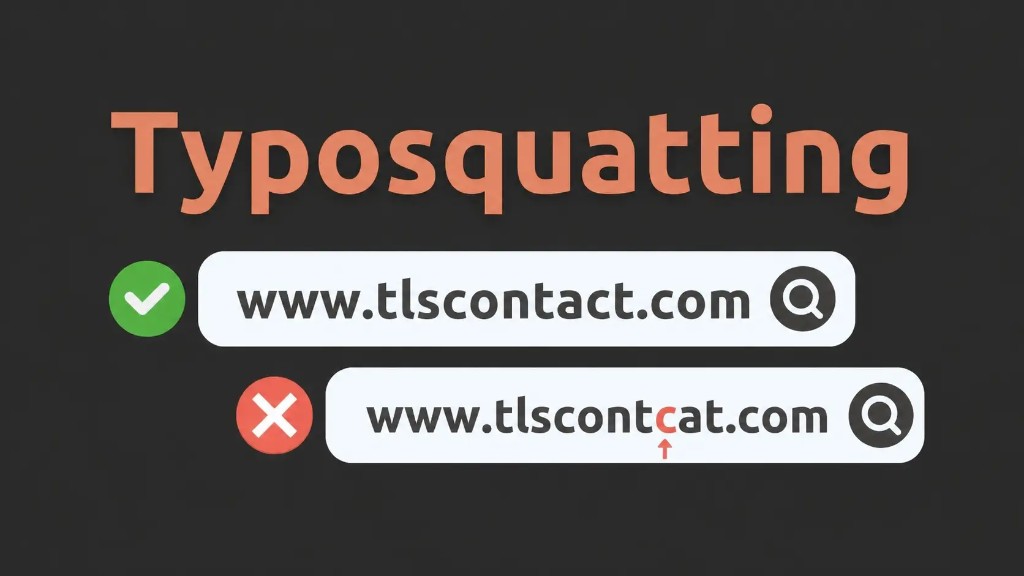
tlscontact.com; one phishing look-alike illustrated here is tlscontcat.com. tlscontactinfo.live is also reported as an impersonating domain in the same class of campaigns.- Legitimate domain:
tlscontact.com - Impersonating domains:
tlscontcat.com,tlscontactinfo.live - Likely abuse: credential theft, fake booking help, and payment fraud
Email indicators
Warning signs reported in this type of campaign include:
- Sender domain that does not match official TLScontact properties
- Generic salutations like “Dear Applicant” with no validated case context
- Urgent calls to click links, share details, or pay quickly
- Brand-mimicking design that hides domain mismatch in plain sight
Social media trapping
The social stage often starts in visa-focused communities where scammers claim they can secure “guaranteed” or canceled slots. Once contact details are shared, attackers time the phishing email so it feels like a requested follow-up. This social preconditioning is why “I was expecting that email” is common in post-incident interviews.
How to verify the real site
- Type known official domains directly instead of clicking social or email links
- Inspect sender domain before any reply or attachment download
- Use official help/contact routes rather than message-thread callbacks
- For internal teams, standardize checks with a playbook such as how phishing takedowns work
Mitigation steps
- Reject misspelled sender domains immediately
- Avoid unofficial agents promising guaranteed appointments
- Track and escalate look-alike registrations with domain monitoring and takedowns
- Prioritize investigations with a severity rubric from prioritizing digital risk alerts
- Document evidence consistently using evidence documentation guidance
FAQ
Are `tlscontcat.com` and `tlscontactinfo.live` official TLScontact sites?
No. Both are look-alike domains and should be treated as suspicious. Users should rely on known official TLScontact properties only.
What is the official TLScontact domain?
The core official domain is tlscontact.com. Always verify the spelling carefully before signing in, sharing documents, or paying any appointment-related fees.
How can I quickly validate a TLScontact email?
Start with the sender domain, then check for personalization, and avoid urgency-driven actions until the message is confirmed through official channels.
What if I already clicked or shared details?
Stop engagement, capture evidence (headers, URLs, screenshots), rotate exposed credentials, and report the incident through official support and security workflows.